

Description
Download File Splitter and Joiner – File Management, Split Files, Join Files, Secure Sharing
Overview
File Splitter and Joiner is a practical utility designed to simplify the management of large files across various digital environments. The application enables users to divide oversized files into smaller, more manageable segments and later reassemble them seamlessly. This functionality is particularly valuable when transferring files over platforms or networks that impose size restrictions—such as email services, cloud storage with file limits, or older file transfer protocols. The tool serves individuals and professionals who frequently handle large documents, media files, or software packages requiring secure and efficient distribution.
Target users include content creators, IT administrators, educators, and remote workers who rely on reliable file handling solutions. By splitting files into smaller parts, users can bypass technical limitations and ensure smooth delivery. The inclusion of encryption features adds a layer of security, making the app suitable for sharing sensitive data without compromising confidentiality. Although the developer did not provide additional background information, the app’s long-standing presence since its release on July 23, 2008, suggests a stable and well-tested utility within the file management ecosystem.
Real-world applications include preparing large video files for email delivery, distributing software installers across teams, or securely sharing confidential documents. Its straightforward approach to file segmentation and reassembly positions it as a dependable tool in both personal and professional workflows. The app’s enduring relevance underscores its effectiveness in addressing persistent challenges in digital file transfer.
Key Features & Functionality
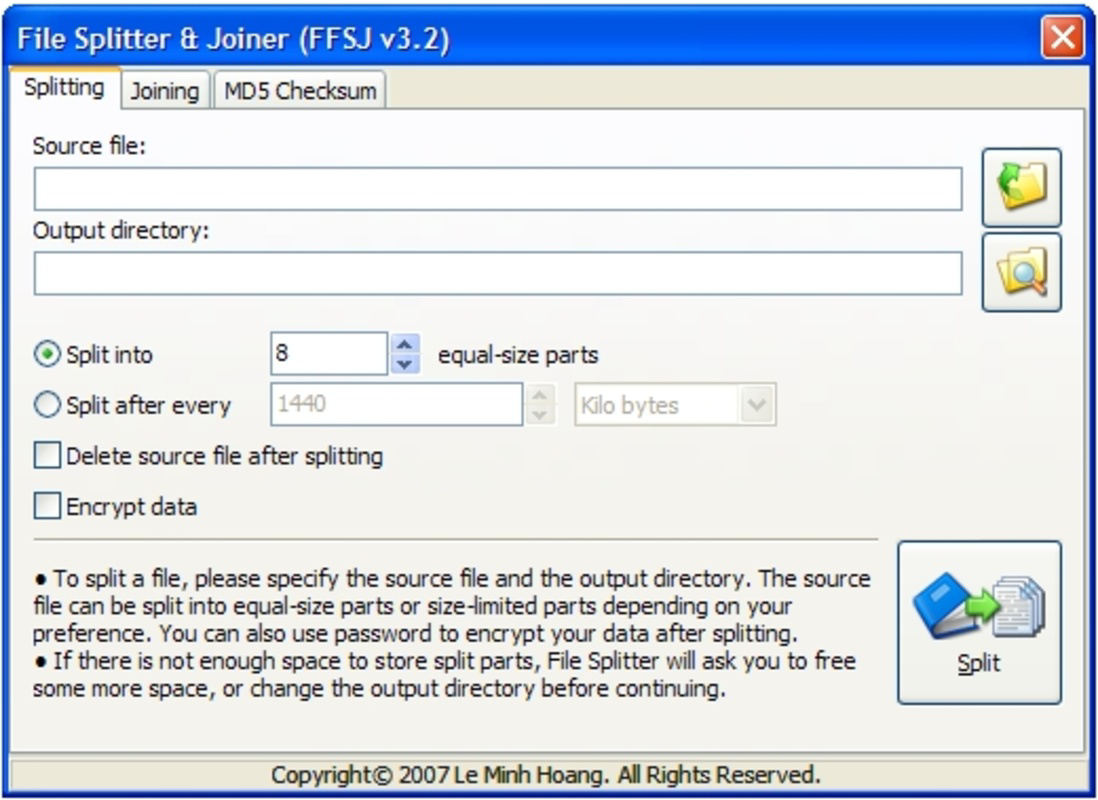
- Easy File Splitting: Users can split large files into smaller parts by specifying either the desired size per segment or the total number of parts. This flexibility allows for precise control over the division process, ensuring compatibility with various sharing platforms and storage constraints.
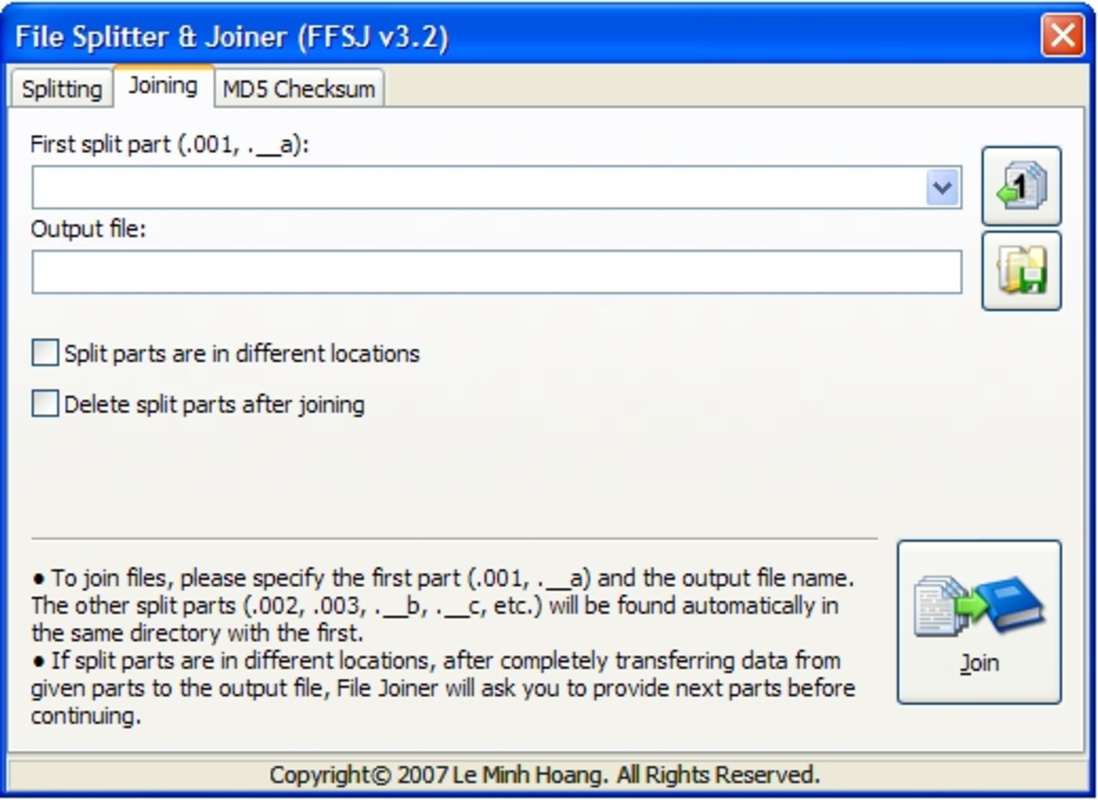
- One-Click Joining: Reassembling split files is simplified through a single action. When receiving parts labeled .001, .002, and so on, the app enables users to merge them back into the original file instantly, minimizing manual effort and reducing the risk of errors.
- Context Menu Integration: The tool integrates directly into the right-click context menu of the operating system, allowing users to initiate splitting or joining operations directly from File Explorer. This enhances workflow efficiency by eliminating the need to open a separate application window.
- Encryption Support: Before sharing split files, users can apply encryption to protect the content. This feature ensures that even if the file parts are intercepted during transfer, the data remains inaccessible without the correct decryption key.
For example, a graphic designer preparing a 10GB video project for a client can split it into 1GB segments, encrypt each part, and send them via email. Upon receipt, the client uses the same app to decrypt and reassemble the file with minimal steps. Similarly, a system administrator distributing a large software package can split it into smaller chunks for easier deployment across multiple devices.
Interface, UX & Performance
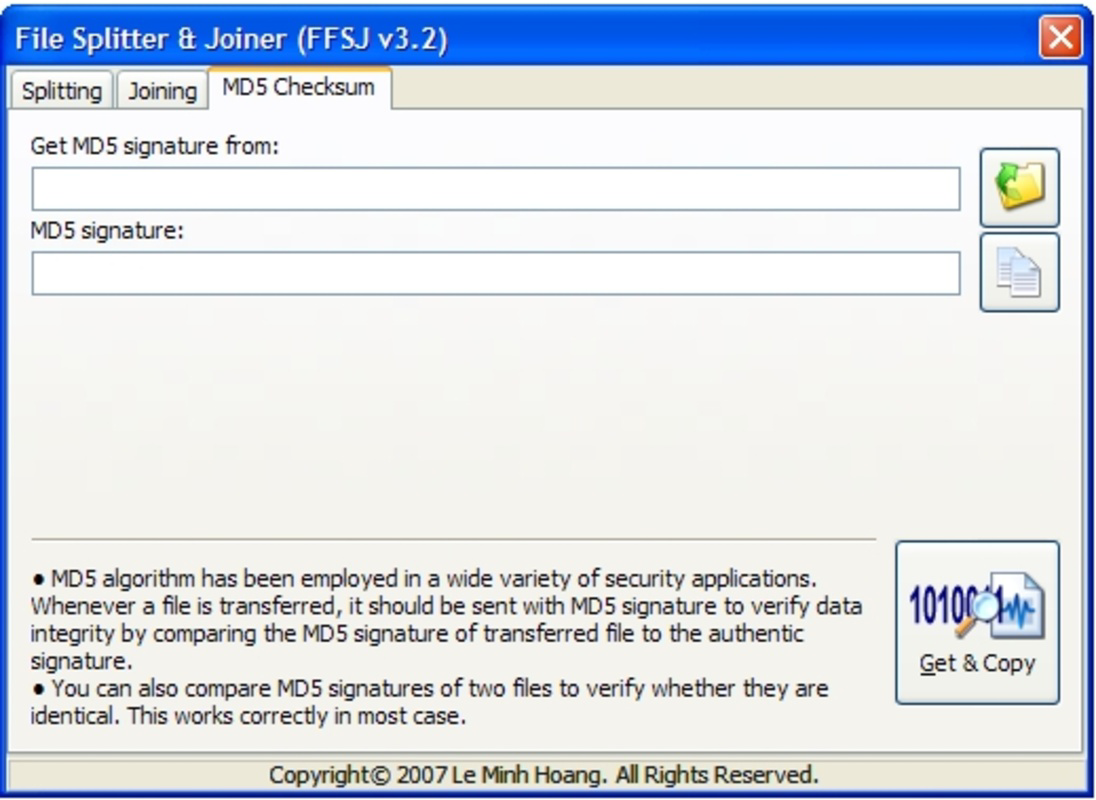
The user interface of File Splitter and Joiner is designed with simplicity and functionality in mind. The layout is clean, with clearly labeled buttons and intuitive controls that guide users through each step of the file splitting and joining process. Navigation is straightforward, typically requiring only a few clicks to select files, define parameters, and initiate operations.
Visual style remains consistent with traditional desktop utilities—minimalist, functional, and focused on core tasks. There are no distracting animations or complex menus, which contributes to a smooth and predictable user experience. The app responds promptly to user inputs, and although the developer did not list formal performance metrics, the interface remains responsive across various device categories, including standard desktops and laptops.
Stability appears reliable, especially given the app’s long history and consistent functionality. Users can expect consistent behavior when handling large files, with minimal risk of crashes or data corruption. The app does not appear to consume excessive system resources during operations, maintaining a balanced performance profile. Overall, the UX is optimized for efficiency, making it accessible even to users with limited technical expertise.
Platform Compatibility & Technical Requirements
File Splitter and Joiner is available for Windows operating systems. The application supports the latest versions of Windows, though specific OS requirements were not listed by the developer. The file size of the app is not specified, but it is designed as a lightweight utility, suggesting minimal disk space usage. The current software version is not provided in the input data, and compatibility with newer or legacy Windows versions was not fully disclosed.
Although the developer did not specify minimum OS requirements or version details, the app’s continued availability and use since 2008 indicate broad compatibility across multiple Windows iterations. Users on modern Windows systems should be able to install and run the application without major issues, though it is recommended to verify system compatibility before installation. The app is not available for Android or iOS platforms, as no information was provided regarding mobile support.
Pros and Cons
- Simple, intuitive interface suitable for non-technical users
- Efficient file splitting and joining with customizable options
- Direct integration with Windows context menu for quick access
- Supports file encryption for secure sharing
- Proven reliability with a long-standing release history
- No official mobile version available (Android/iOS)
- Limited information on system requirements and file size
- No automatic update notifications or built-in update checker
- Not available on app stores for direct download
- Interface lacks modern design elements and customization
FAQ
Is File Splitter and Joiner safe to download and use?
The app is a well-established utility with a release date of 2008, indicating a long history of use. While the developer did not provide security certifications, its functionality and reputation suggest it is safe when downloaded from trusted sources.
Can I use File Splitter and Joiner on Android or iOS?
No information was provided about mobile compatibility. The app is designed for Windows and is not available for Android or iOS platforms.
Does the app support automatic updates?
The developer did not include any details about update mechanisms. Users are advised to manually check for new versions if available.
Can I split files larger than 10GB?
Yes, the app is capable of handling large files, including those exceeding 10GB, as long as the system has sufficient storage and memory.
Is encryption secure?
The app includes encryption features to protect file content during transfer. While the specific encryption algorithm was not disclosed, the inclusion of this function indicates a focus on data security.
Final Thoughts
File Splitter and Joiner remains a reliable and efficient solution for managing large files in a Windows environment. Its ability to split files into smaller segments and reassemble them with ease makes it indispensable for users facing file size limitations. The added security of encryption enhances its value, particularly for professionals handling sensitive data. Despite its lack of modern design and mobile support, the app delivers consistent performance and straightforward functionality.
Individuals and teams who frequently transfer large files—such as video editors, IT professionals, and remote workers—will benefit most from this tool. Its long-standing presence in the digital ecosystem speaks to its dependability and practicality. For anyone seeking a free, secure, and effective file management utility, File Splitter and Joiner offers real-world value without unnecessary complexity.
Download File Splitter and Joiner now
Guides & Tutorials for File Splitter and Joiner
How to install File Splitter and Joiner
- Click the Preview / Download button above.
- Once redirected, accept the terms and click Install.
- Wait for the File Splitter and Joiner download to finish on your device.
How to use File Splitter and Joiner
This software is primarily used for its core features described above. Open the app after installation to explore its capabilities.
User Reviews for File Splitter and Joiner 0
No reviews found


